Overview of the Adventure Game
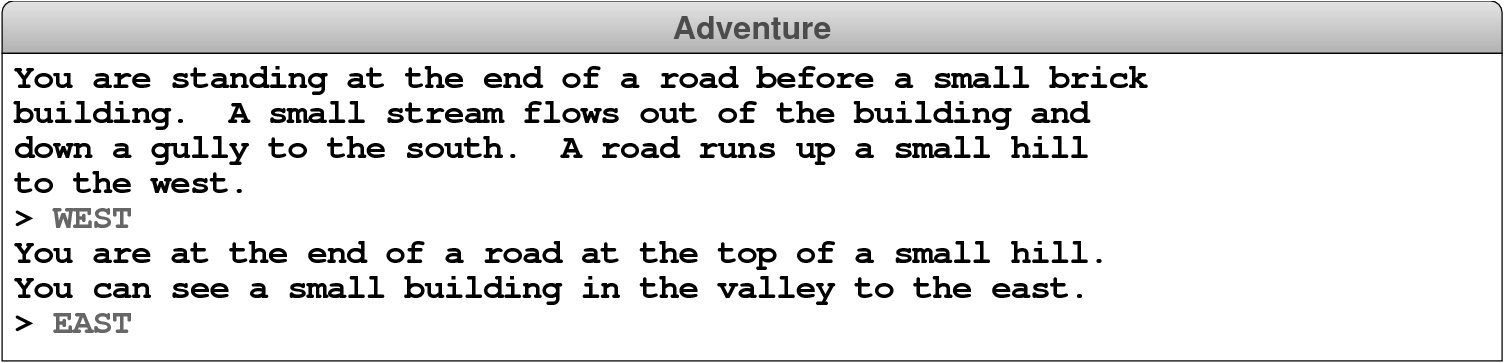
The Adventure game you will implement for this project–like any of the text-based adventure games that were the dominant genre before the advent of more sophisticated graphical adventures like the Myst series–takes place in a virtual world in which you, as the player, move about from one location to another. The locations, which are traditionally called rooms even though they may be outside, are described to you through a written textual description that gives you a sense of the geography. You move about in the game by giving commands, most of which are simply an indication of the direction of the motion. For example, in the classic Adventure game developed by Willie Crowther, you might move about as follows:
In the console sessions shown in this guide, user input appears in uppercase so that it is easier to see. Your program should ignore case distinctions in executing commands.
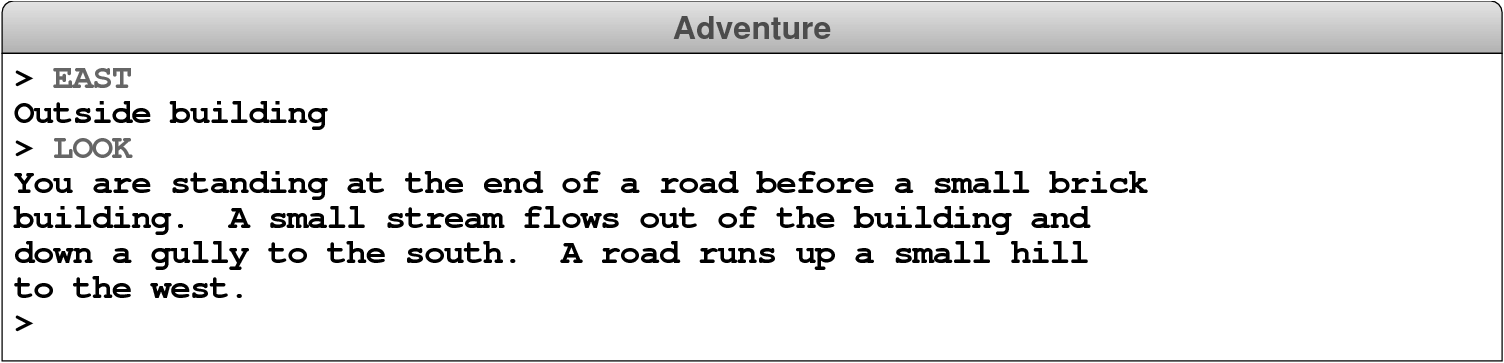
In this example, you started outside the building, followed the road up the hill by typing WEST, and arrived at a new room on the top of the hill. Having no obvious places to go once you got there, you typed EAST to head back to where you started. As is typical in such games, the complete description of a location appears only the first time you enter it. The second time you come to the building, the program displays a much shorter identifying tag, although you can get the complete description by typing LOOK, as follows:
From here, you might decide to go inside the building by typing IN, which brings you to another room, as follows:

In addition to the new room description, the inside of the building reveals that the Adventure game also contains items: there is a set of keys here. You can pick up the keys by using the TAKE command, which requires that you specify what item you are taking, like so:

The keys will, as it turns out, enable you to get through a grating at the bottom of the streambed that opens the door to Colossal Cave and the magic it contains.
The best model for the Adventure project is the teaching machine example that appears in Chapter 12. The starting repository for Project 5 includes the code for the teaching machine so that you can copy and adapt whatever parts of the code you think will be useful. The repository also includes the tokenscanner library, the various data files described later in this handout, and the following template files for the adventure game:
Adventure.py–This file defines theAdventurefunction, which is just a few lines long and looks almost exactly the same as theTeachingMachine.pyfile in the example. The complete code forAdventure.pyis given to you in the repository, and you should not need to change anything in this file except for the definition of theADVENTURE_PREFIXconstant when you want to work with other data files–or write your own.AdvGame.py–This file defines theAdvGameclass, which implements the game and is therefore analogous to theTMCourseclass in the teaching machine. In a slight tweak to how it was done in the teaching machine, theAdvGameclass constructor will be responsible for reading the various files and storing the information in a suitable internal structure (no need for the extra function here, though much of its contents will be moved inside the constructor). This class also exports therunmethod, which is called by theAdventurefunction to start the game. Although therunmethod is complex–and certainly complex enough to warrant decomposition–you will have a chance to build it up gradually as you go through the milestones.AdvRoom.py–The file defines theAdvRoomclass, which represents a single room in the game and is analogous to theTMQuestionclass in the teaching machine. The repository contains the header lines for the methods you need for Milestone 1. As you move on to later milestones, you will need to add a few more methods as described later in this guide.AdvItem.py–This file defines theAdvObjectclass, which represents an item in the game. This file specifies the header lines for the methods thatAdvItemsupports. You will have a chance to implement these methods in Milestone 3.